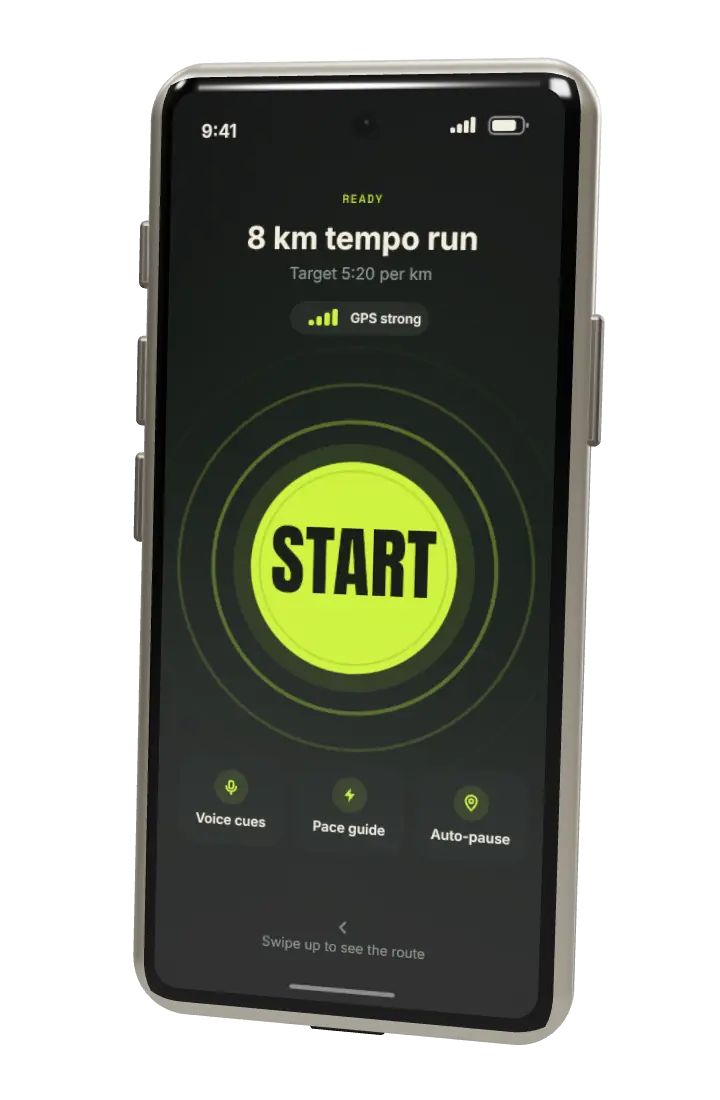
Running app for iPhone and Android
Plan the week. Run the route. Keep the pace.
Furlong writes your weekly running plan, draws a route for every run and holds you to your pace while you go. It needs your phone and nothing else.
4.8 from 12,400 ratings. Free to start.
01 Routes
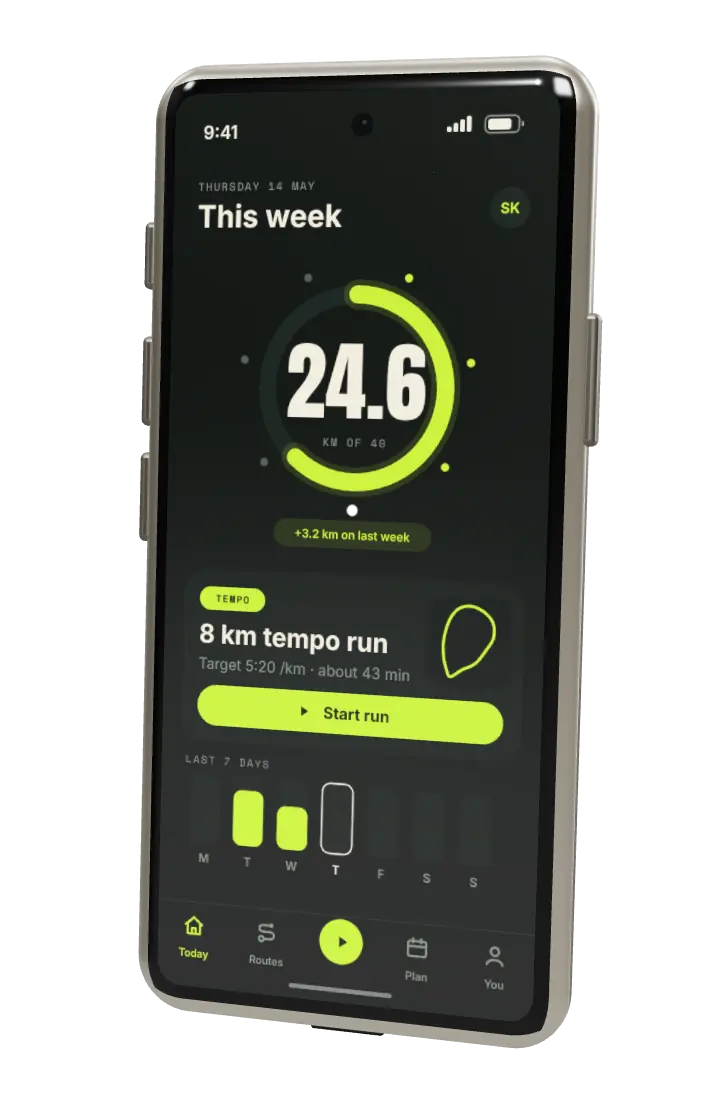
Routes from your own front door.
Draw a loop with your finger, or ask for one by length. Furlong keeps to paths and quiet streets, shows every hill before you reach it and marks the road crossings.
- 2 to 42 kmLoops of any length
- HillsClimb shown per kilometre
- OfflineMaps saved to the phone
02 Pace
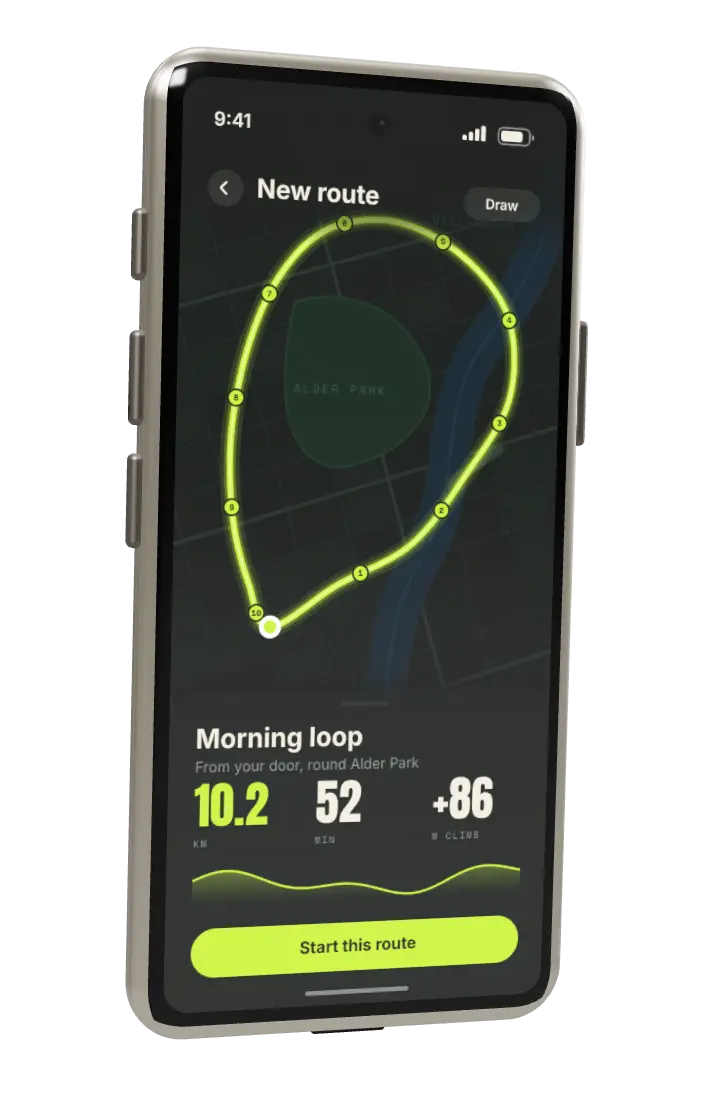
Hold the pace you planned.
Set a target for the run, or for each part of it. The guide shows how far ahead or behind you are, and says so in your headphones: ease off, hold, or lift.
- 1 secondBetween updates
- VoiceCues in your headphones
- StrapsReads Bluetooth heart rate
03 Splits
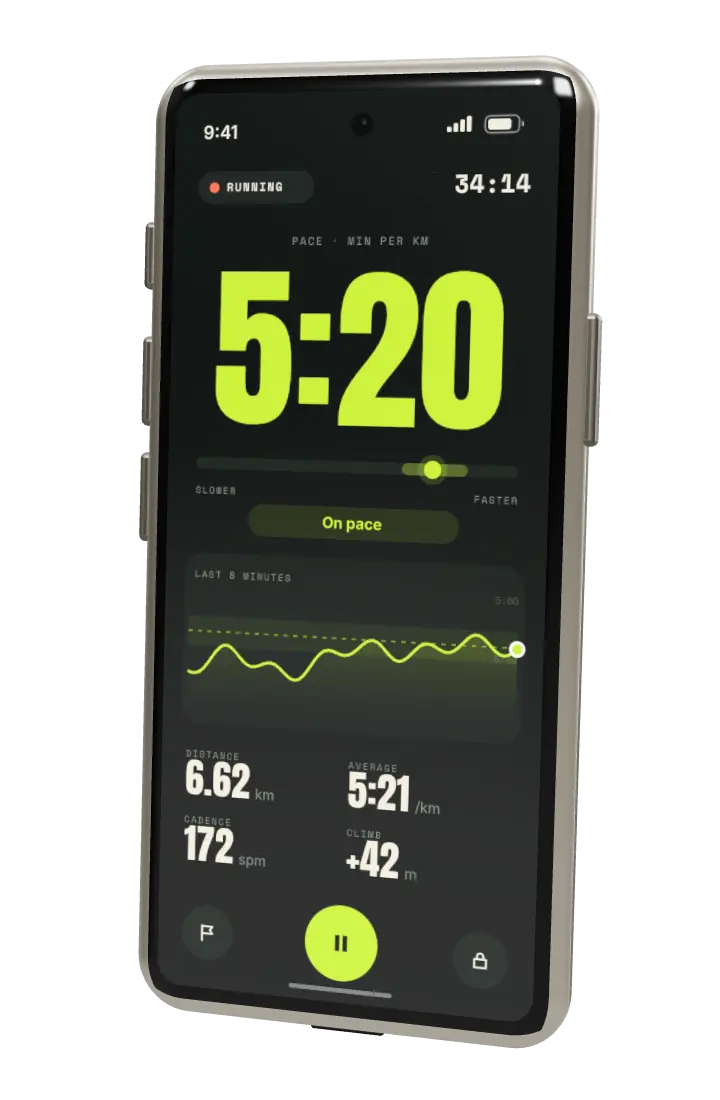
Every kilometre, in order.
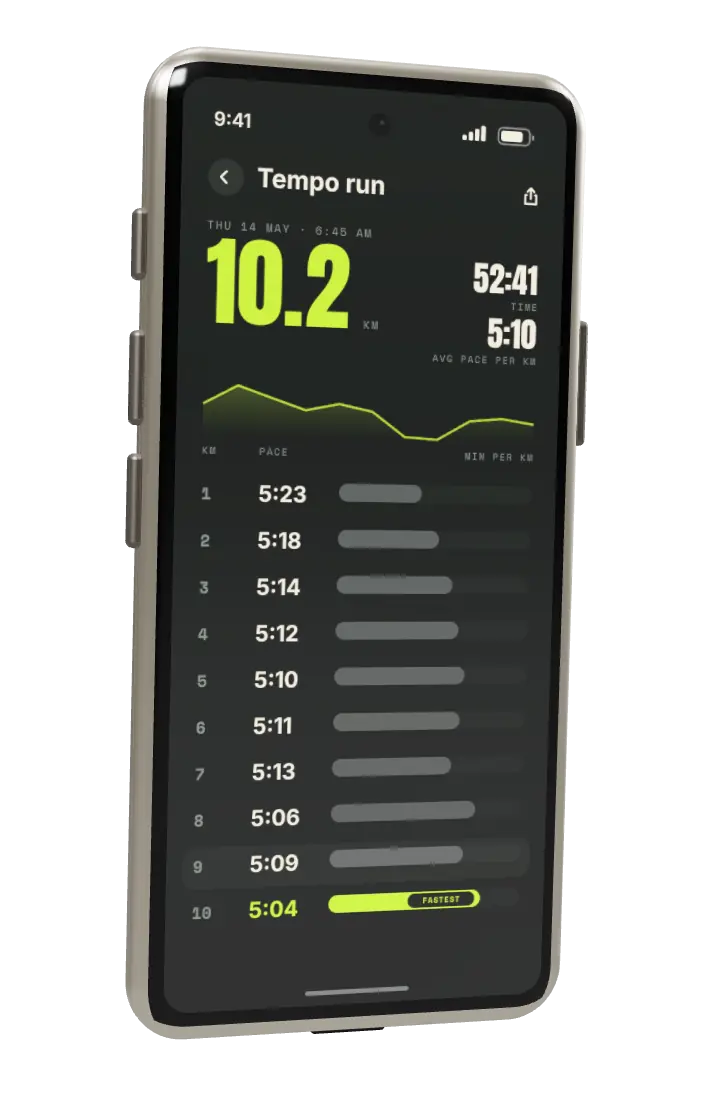
After the run, see each split, the climb behind it and how it compares with the last time you ran that route. The fastest kilometre is marked, and a slow one shows its cause: a hill, a stop, a crossing.
- Every kmPace, climb and time
- CompareAgainst the same route
- ExportGPX and CSV, any time
04 Plan
A week that moves when you do.
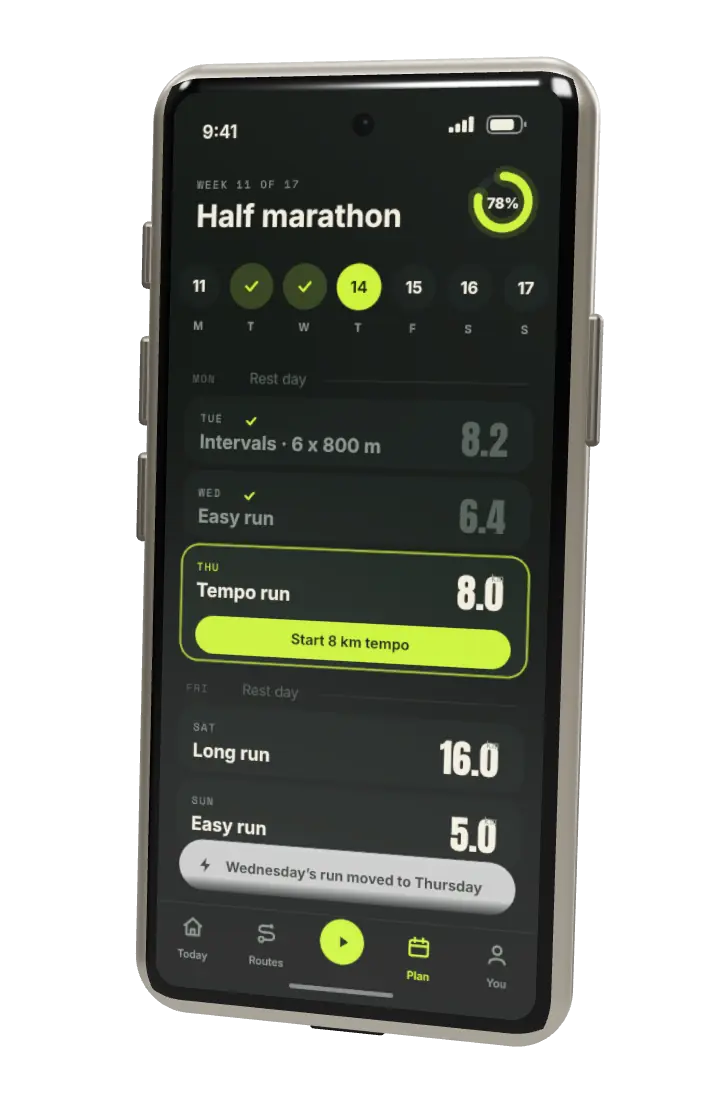
Pick a goal and a date. Furlong sets four runs a week from what you ran last month. Miss one and the plan moves it, shortens the next or drops it. It never stacks two hard days.
- 5K to marathonOr just run more
- 4 runsA week, you choose how many
- Rest daysKept where you set them
How it works
Set up in a minute.
- 01
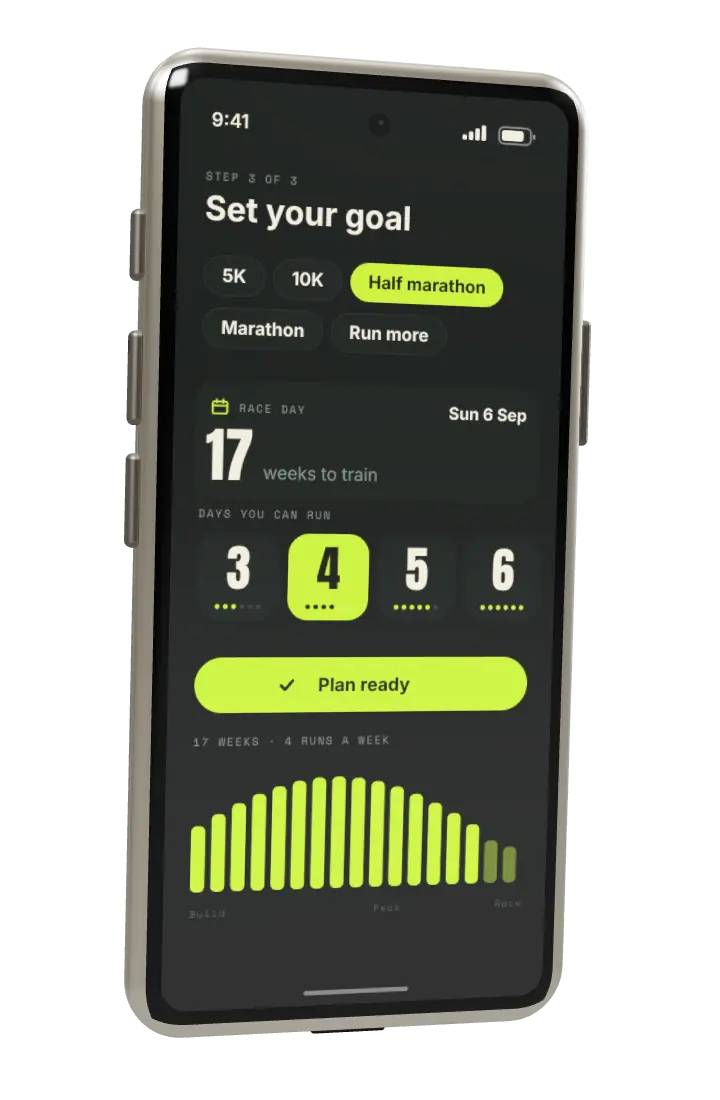
Pick a goal and a date
A 5K, a 10K, a half marathon, a marathon, or simply more kilometres.
- 02
Say how many days you can run
Three to six. Furlong fits the plan round your week, not the other way.
- 03
Run, and let the plan follow
Each run you finish rebuilds the weeks that are left, so the plan always matches what you did.
Free and Plus
Start free.Add Plus later.
Record every run for nothing. Plus adds the weekly plan, the pace guide and offline maps. Try it for 14 days, no card needed.
-
Free
$0always
- Record unlimited runs
- Draw routes and save five
- Pace, distance and splits
- A weekly distance goal
-
Most runners choose this
Plus
$4.99a month, or $39.99 a year
- Everything in Free
- Weekly plan that adapts
- Pace guide with voice cues
- Offline maps and route ideas
- Full history and export
Questions
Before youdownload.
Do I need a watch?
No. Furlong runs on the phone alone, in an armband or a pocket. It also reads heart rate from common Bluetooth chest straps and watches if you have one.
Does it work without a signal?
Yes. GPS does not need a mobile signal, so runs are recorded anywhere. With Plus you can save map areas to the phone before you leave.
How is my location used?
Only while a run is recording. Runs are private by default, and you can hide the start and end of every run so your front door never shows on a map.
What if I miss a run?
Plus moves the session to a day that fits, shortens the next one, or drops it. It never puts two hard runs on back-to-back days.
How much battery does it use?
About 6 percent an hour on a recent phone with the screen off. Voice cues play through your headphones, so the screen can stay dark.
Can I cancel Plus?
Yes, at any time in your phone's subscription settings. Your runs and your history stay, and Plus features stop at the end of the period you paid for.
Free to start
Your first runis free.
Download Furlong, pick a goal and go for a run today. The first five runs need no account.